Google AI Mode ads are now live in Canada. On October 28, 2026, Google started showing ads inside AI Mode, its conversational search experience, for advertisers in Canada and nine other countries. Most business owners will not get an email or a notification about it. If you already run Search, Shopping or Performance Max campaigns, your ads may already be appearing next to, or inside, AI-written answers.
This guide explains what changed, how ads in AI Mode work, and the seven things you should check in your Google Ads account this week. It’s written for owners of small and local businesses in Canada: clinics, contractors, restaurants, salons, shops and service companies. You don’t need to be a PPC specialist to follow it.
Key takeaways
- Google AI Mode ads launched in Canada on October 28, 2026, in English only for now.
- Existing Search, Shopping and Performance Max campaigns are eligible automatically. There is no new campaign type and no extra fee.
- You can’t opt out of AI Mode separately from Search, and there is no separate report for it.
- Exact and phrase match keywords only show for clear buying-intent questions. Broad match and AI Max can also show on broader, exploratory conversations.
- AI Mode questions are about three times longer than normal searches, so your landing pages need to answer real questions, not just repeat keywords.
What changed on October 28, 2026
In its official announcement, Google said it is scaling ads in AI Mode to Australia, Canada, India, Kenya, Malaysia, New Zealand, Nigeria, Pakistan, the Philippines and Singapore. Brazil, Mexico and the United Kingdom are planned for later in Q4 2026. In the U.S., Google also launched “multiturn” ads, which can appear on follow-up questions inside the same AI Mode conversation.
Ads in AI Overviews, the AI summaries at the top of regular Google results, were already available in Canada. What’s new is that ads now reach people who switch into AI Mode and have a longer conversation with Google instead of clicking through ten blue links.
What are Google AI Mode ads?
Google AI Mode ads are regular text ads and Shopping ads that Google places within or alongside an AI-generated answer. According to Google Ads Help, every one of them is labeled “Sponsored” and visually separated from the organic answer. Google is also testing other formats, such as local inventory ads and vehicle ads.
One detail many advertisers miss: in some placements, Google adds a short “AI explainer” written by its Gemini models that describes why your ad is relevant. It is not part of your headline or description, and you can’t write, edit, approve or turn it off. That makes the quality of your ad assets and your landing page more important, because Google’s AI reads them to describe your business.
Do you need to set anything up?
No. Google AI Mode ads use your existing campaigns, the same auction and the same bidding (cost per click or conversion-based). You’re not charged extra to appear there. The flip side is that you also can’t target AI Mode on its own or exclude it while keeping normal Search. Your only controls are the ones you already have: keywords and match types, negative keywords, brand exclusions, budgets and bidding.
Reporting works the same way. Clicks, impressions, conversions and cost from AI Mode are added into your normal campaign reports and your search terms report. Google doesn’t show them as a separate segment, so you can’t see exactly how much of your spend went to AI answers.
Which campaigns and keywords can show in AI Mode
Google matches ads in two ways. Direct matching uses the person’s question itself. Contextual matching looks at the whole conversation, including Google’s AI answer. Here is how each targeting option works:
| Targeting | Direct buying-intent questions | Broader, exploratory conversations |
|---|---|---|
| Exact and phrase match keywords | Yes | No |
| Broad match keywords | Yes | Yes |
| AI Max for Search | Yes | Yes |
| Shopping campaigns | Yes | Yes |
| Performance Max | Yes | Yes |
Here’s an example. “Emergency plumber in Vaughan open now” has direct buying intent, so a phrase match keyword like “emergency plumber” can show. “Why is my basement drain gurgling after rain and is it serious?” is exploratory. Only broad match, AI Max or Performance Max can reach that person, and they might become a customer two questions later.
What this means for small businesses in Canada
- Searches look more like conversations. Google says AI Mode queries are on average three times longer than traditional searches. People describe their situation, budget and location in one question.
- You get less visibility in your reports. Because AI Mode data is mixed into normal reports, you have to watch search terms and cost per lead more closely than before.
- English only, for now. Google’s help page lists English as the only supported language. If you run French campaigns in Quebec, those aren’t showing in AI Mode yet, but your English campaigns can.
- Some industries are excluded. Google says ads in AI Overviews don’t show in sensitive categories such as healthcare, finance, alcohol, gambling and politics. Clinics and financial services should expect limited or no AI placements.
- Paid placement doesn’t change organic answers. Google says ads don’t influence what the AI writes. To be recommended inside the answer itself, you still need strong SEO and AI search visibility.
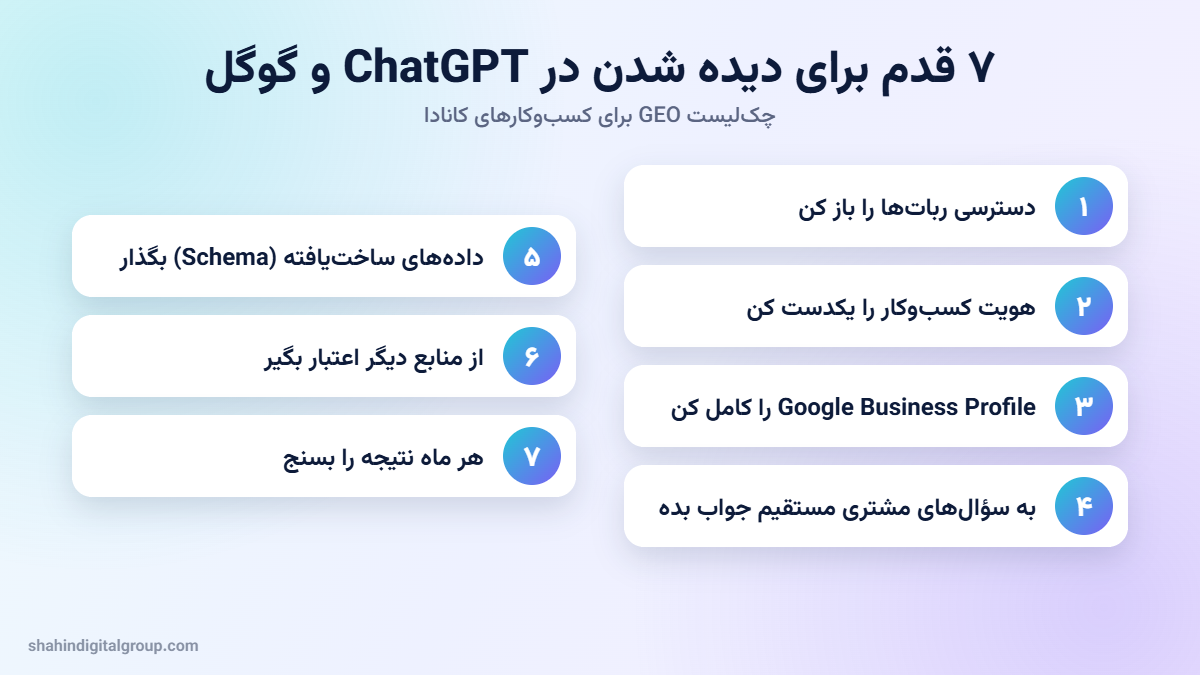
7 things to check in your Google Ads account this week
1. Compare your search terms before and after October 28
Open the search terms report and compare the last 7 to 14 days with the period before October 28. Look for longer, question-style searches. These are the clearest sign your ads are entering AI conversations. Check whether they turn into calls, forms or bookings, or just spend money.
2. Update negative keywords and brand exclusions
Negative keywords and brand exclusions still apply in AI Mode, and they are now your main way to block irrelevant traffic. Add negatives for research-only patterns that never convert for you, like “how to do it myself,” “free,” “jobs” or “salary.” Use brand exclusions if you don’t want to appear next to certain competitor or retailer names.
3. Decide on broad match and AI Max on purpose
Google recommends AI-powered targeting (broad match, AI Max, Performance Max) because it reaches the most AI Mode conversations. That can work well with good conversion data and a healthy budget. On a small budget, a tight mix of exact and phrase match plus one test campaign on broad match is often safer. Make it an active decision, not a default setting you never reviewed.
4. Fix conversion tracking first
Smart Bidding decides which AI Mode conversations are worth paying for, and it can only do that with accurate conversion data. Make sure calls, form submissions, bookings and WhatsApp clicks are tracked with the Google tag. If you close sales offline, consider importing offline conversions. Without tracking, Google is guessing with your budget.
5. Make your landing pages answer the full question
Someone who asked a 25-word question expects a page that answers it. The top of your landing page should clearly show what you do, your service area, a price range or starting price, how quickly you can help, and one clear next step such as call, book or get a quote. Google’s AI also reads this page when it writes the explainer next to your ad. If you use AI Max or Performance Max, Google suggests turning on text customization and final URL expansion so it can match people to your most relevant page.
6. Clean up your Merchant Center feed (if you sell products)
Shopping ads in AI Mode come from your Google Merchant Center feed. Use descriptive product titles and descriptions, high-quality images, accurate prices, ratings where possible, and clear shipping and return policies. Google says that in the U.S., click-through rates for sponsored product listings in AI Mode are already similar to organic ones. A complete feed gives you the best chance of being picked.
7. Don’t panic-change your budget
If cost per click or lead volume shifts, give your campaigns two to three weeks before making big budget or bidding changes. Track cost per lead and lead quality, not just clicks. Write down the date of every change you make so you can tell what caused what, since there’s no AI Mode report to explain it for you.
Paid ads vs. organic AI answers: you need both
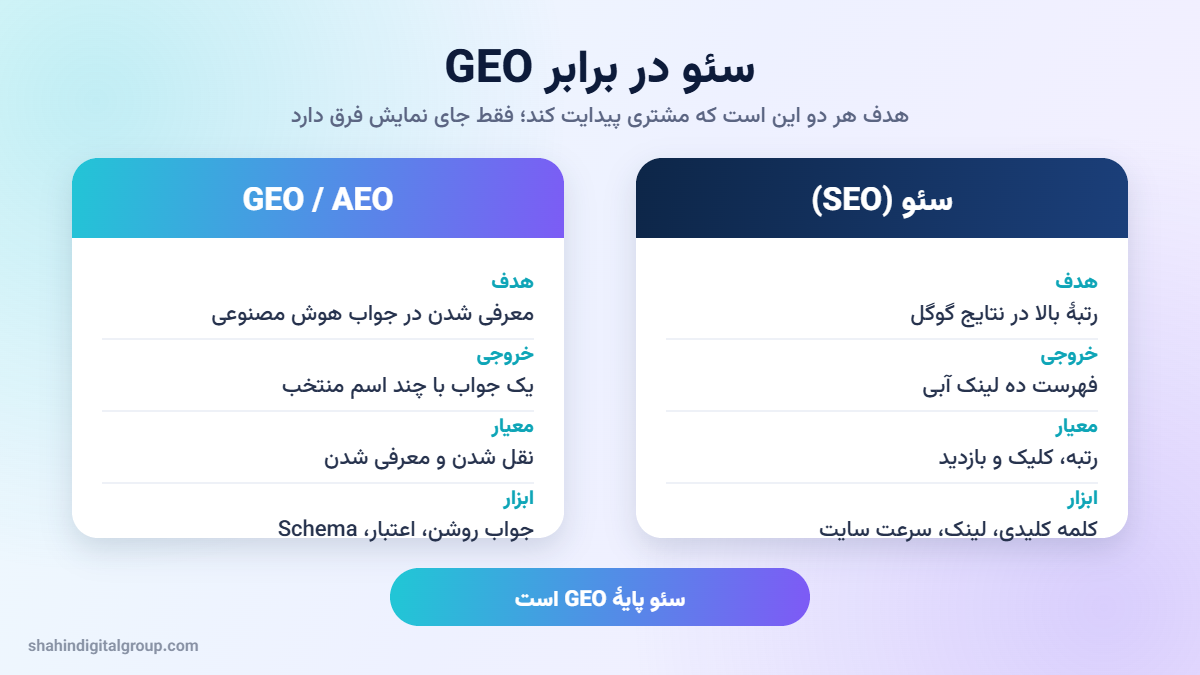
Ads in AI Mode let you pay to be next to the answer. They don’t put you in the answer. When AI Mode recommends three local companies by name, those mentions come from your website, your Google Business Profile, your reviews and what other sites say about you. That’s Generative Engine Optimization (GEO). If you’re new to it, start with our guide What Is GEO? and read why ranking #1 on Google no longer guarantees calls.
For local service businesses, the strongest combination is a well-run Google Ads account plus a fully optimized Business Profile and website. Our step-by-step local SEO guide for small businesses covers the organic side.
Frequently asked questions
Are Google AI Mode ads available in Canada?
Yes. Google started showing ads in AI Mode in Canada on October 28, 2026. For now, Google lists English as the only supported language.
Do I need a new campaign to show ads in AI Mode?
No. Existing Search, Shopping and Performance Max campaigns are eligible automatically, using the same auction and bidding. There is no separate campaign type and no extra fee.
Can I opt out of ads in AI Mode?
Not separately from Search. You can’t exclude AI Mode while keeping normal Search ads, but negative keywords, brand exclusions and match type choices still control where your ads can appear.
Can I see AI Mode results in my Google Ads reports?
Not as a separate segment. Google includes AI Mode impressions, clicks, conversions and cost in your standard campaign reports and search terms report.
Do ads affect what Google’s AI recommends?
Google says paid advertising does not influence its organic AI responses. To be mentioned inside the answer, you need strong SEO, a complete Google Business Profile, good reviews and clear website content.
About the author: Zar Shahin is a Toronto-based digital marketing specialist focused on SEO and AI search (GEO/AEO), Google and Meta ads, and marketing automation with n8n and AI agents. Founder of Shahin Digital Group.
Not sure how AI Mode is affecting your Google Ads? Book a free consultation and we’ll review your search terms, tracking and landing pages together. We work in Persian, English and French.